

Description
Play Pokémon TCG Online Free on Any Device
Overview
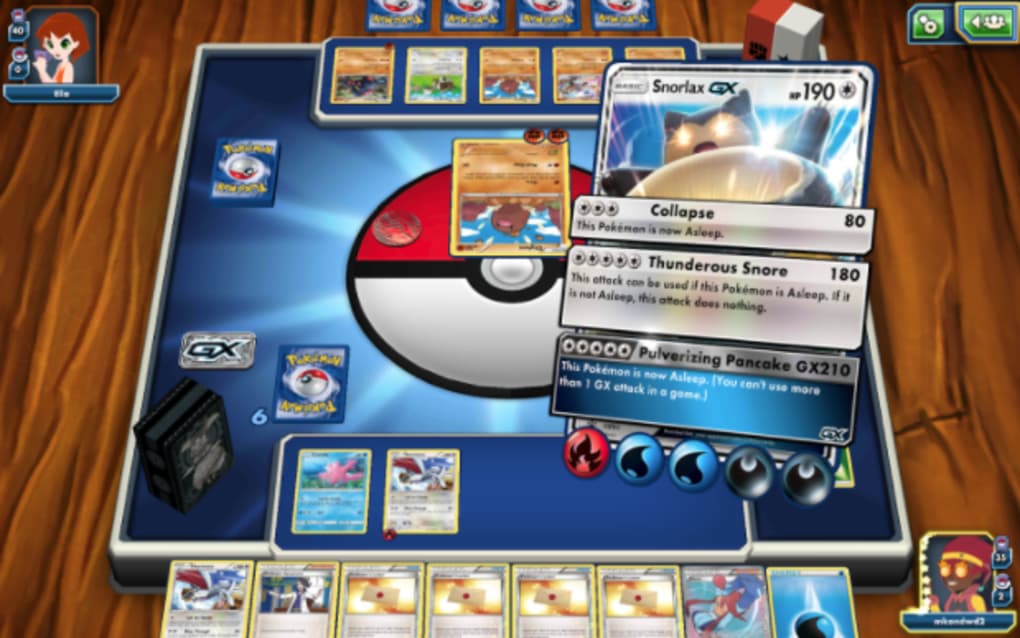
Pokémon TCG Online is a free digital adaptation of the beloved trading card game, designed for fans of all ages. Developed by The Pokémon Company, the software brings the classic card battle experience to mobile and desktop platforms. The game supports real-time 2-player matches, allowing users to compete against friends or opponents worldwide. Each match revolves around a 60-card deck, where players strategically deploy Pokémon characters, attach energy cards, and evolve creatures mid-battle to gain an advantage. The objective is to defeat the opponent’s Pokémon and collect six prize cards to win the game. The software enables cross-device play through the Pokémon Trainer Club account, allowing users to seamlessly switch between iPhone, Android, Windows, and Mac without losing progress. It is suitable for both newcomers and experienced players, offering tutorials and practice modes against AI to help users learn the rules. The game also includes single-player campaigns and limited-time tournaments, providing structured challenges to grow a card collection. While the core mechanics mirror the physical card game—such as type advantages and health tracking—the digital format streamlines setup and card management. The experience is designed to evoke nostalgia while adapting the classic game for modern audiences.
Key Features & Capabilities
- Real-Time Multiplayer Battles – Engage in live 2-player matches against opponents globally, with a built-in timer to maintain pace and intensity.
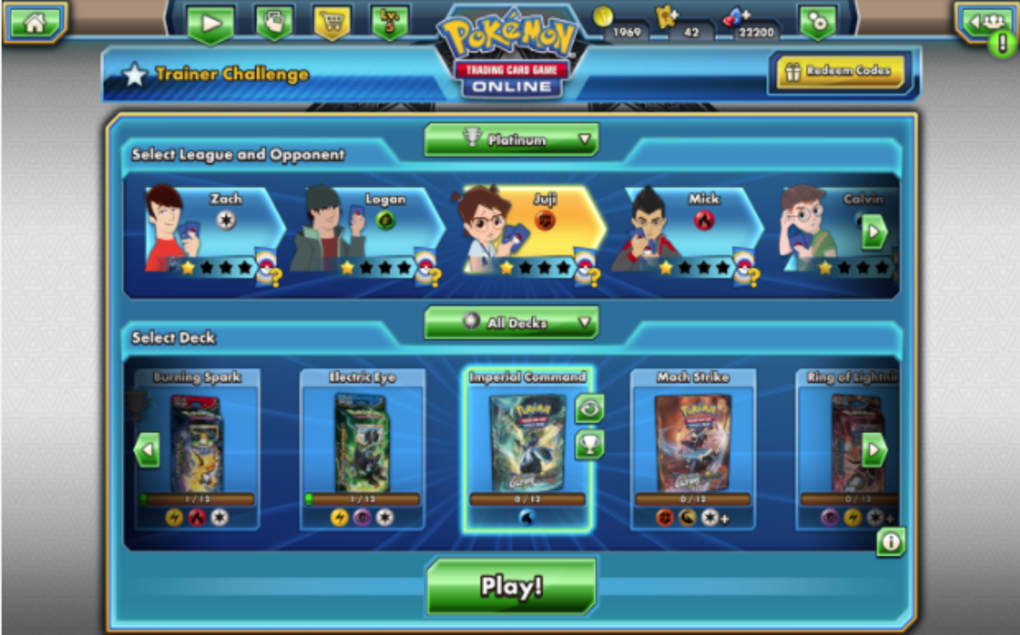
- Deck Building & Customization – Construct and refine a 60-card deck using collected Pokémon, energy, and support cards, with options to personalize deck layout and appearance.
- Cross-Platform Synchronization – Access your trainer account, cards, and progress across iOS, Android, Windows, and Mac devices using a single Pokémon Trainer Club login.
- Single-Player Campaigns – Progress through structured story-driven challenges to earn cards, learn mechanics, and build your collection without online competition.
- Card Acquisition Methods – Earn new cards through gameplay, opening booster packs, participating in limited-time events, or trading with other players.
- Avatar & Profile Customization – Create a unique trainer avatar and use it as a profile image to personalize your in-game identity.
These features allow users to experience the depth of the Pokémon trading card game in a digital format. Deck building encourages strategic thinking, while the multiplayer component adds competitive excitement. The ability to play across devices ensures continuity, ideal for users who switch between mobile and desktop. Single-player campaigns offer a low-pressure environment for learning, while trading and event participation foster community engagement. The digital interface automates complex tasks like damage calculation and card tracking, reducing setup time and potential errors. These capabilities make Pokémon TCG Online a comprehensive platform for both casual play and serious competition.
User Interface, Workflow & Performance
The user interface of Pokémon TCG Online reflects its origins as a PC-based game adapted for mobile devices. While functional, the layout prioritizes game mechanics over intuitive touch navigation. The main screen displays the battlefield, card inventory, and action buttons, but some elements are densely packed, making it challenging to locate specific functions during fast-paced matches. Touch controls are responsive, though the game lacks gesture-based interactions common in modern mobile apps. Navigation between menus—such as deck management, campaign selection, and settings—is straightforward but can feel slow due to minimal visual feedback. The workflow follows a linear path: select deck → start match → play cards → manage health and prize counters. This structure supports consistent gameplay but may require adjustment for users accustomed to more dynamic interfaces. Performance is stable during standard matches, with no reported crashes or freezes. The developer did not specify resource usage details, but the 500 MB installation size suggests moderate storage demands. General software behavior patterns indicate efficient memory handling during gameplay, though prolonged sessions may affect device performance on older hardware. Stability appears reliable, with no known issues related to session persistence or data loss.
Compatibility & System Requirements
Pokémon TCG Online is available on iOS, Android, Windows, and Mac operating systems. The software supports the latest versions of each platform, ensuring broad accessibility. The installation size is 500 MB, which is typical for a modern card game with graphics and audio assets. Exact system requirements were not listed, so users should ensure their device meets general standards for running mobile and desktop applications. The developer did not provide specific hardware specifications, such as minimum RAM or processor speed. Compatibility information is limited to the listed platforms, with no mention of Linux or older OS versions. Cross-platform functionality is enabled through the Pokémon Trainer Club account, allowing users to switch between devices without losing progress. The game’s design suggests it is optimized for touchscreen and mouse-based input, though no details were provided on performance across different screen sizes or resolutions. Users are advised to verify device compatibility through official channels before installation.
Pros and Cons
Pros
- Free to download and play with no paywalls for core features
- Full cross-platform support across iOS, Android, Windows, and Mac
- Rich gameplay with strategic deck building and real-time multiplayer
- Single-player campaigns help new players learn the rules
- Customizable avatars and deck layouts for personalization
- Progress saved via Pokémon Trainer Club account for seamless device switching
Cons
- Interface design feels outdated and less optimized for mobile touch controls
- Limited visual feedback during card interactions and deck loading
- No animations when purchasing or receiving new decks
- Performance details such as CPU or RAM usage were not specified
- Menu navigation may feel cluttered on smaller screens
FAQ Section
Is Pokémon TCG Online free to play?
Yes, Pokémon TCG Online is free to download and play. The game does not require a paid subscription, and core gameplay features are accessible without cost.
Can I play Pokémon TCG Online on multiple devices?
Yes, the game supports cross-platform play. Your progress, cards, and deck boxes are stored in your Pokémon Trainer Club account, allowing you to play on iOS, Android, Windows, and Mac devices.
Does the game require an internet connection?
Yes, Pokémon TCG Online requires an active internet connection to access multiplayer matches, tournaments, and account synchronization.
Are there in-app purchases?
While the game is free to play, it may offer optional in-app purchases for booster packs or cosmetic items. These are not required to access core gameplay.
How do I update Pokémon TCG Online?
Updates are delivered through the respective app stores (Apple App Store, Google Play, and desktop platforms). Users can check for updates manually or enable automatic updates.
Final Thoughts + CTA
Pokémon TCG Online delivers a faithful digital recreation of the classic trading card game, combining nostalgic appeal with modern accessibility. Its free-to-play model, cross-platform functionality, and strategic depth make it a compelling choice for both longtime fans and new players. While the interface shows signs of being adapted from a PC game and lacks polish on mobile devices, the core gameplay remains engaging and well-structured. The inclusion of tutorials, campaigns, and multiplayer competition ensures a balanced experience for all skill levels. For those seeking a strategic, community-driven card game that can be played on any device, Pokémon TCG Online stands out as a top-tier option. The ability to build, customize, and battle with a personalized deck adds lasting value. Download Pokémon TCG Online now and relive the thrill of the Pokémon card battle, anytime, anywhere.
Guides & Tutorials for Pokémon TCG Online
How to install Pokémon TCG Online
- Click the Preview / Download button above.
- Once redirected, accept the terms and click Install.
- Wait for the Pokémon TCG Online download to finish on your device.
How to use Pokémon TCG Online
This software is primarily used for its core features described above. Open the app after installation to explore its capabilities.
User Reviews for Pokémon TCG Online 0
No reviews found





